QuantiVector
Pine Script v6 · TradingView Indicator

Catch the trend's next leg with high-accuracy BUY & SELL signals

QuantiVector reads every market reaction, waits for real confirmation, and marks the exact moment price turns back in the trend's favor — then hands you a complete trade plan, a confidence score, and a live scoreboard of its own results.

Works on any market & timeframe · Non-repainting signals · One-click TradingView alerts

Non-Repainting Any Market, Any Timeframe Live Self-Updating Backtest
8 Confluence Factors Scored
1Trade Open at a Time
LiveSelf-Updating Backtest
0Repainted Signals
91%Confidence
73.4%Win Rate
QuantiVector — BTCUSD · 1H
● Live
SETUP ZONE BUY ENTRY 64,220 SL 63,410 TP1 65,340 TP3 66,900 91% ★
Sample Signal Feed
BTCUSD ▲ BUY 91% EURUSD ▼ SELL 84% XAUUSD ▲ BUY 88% AAPL ▲ BUY 76% ETHUSD ▼ SELL 69% US30 ▲ BUY 93% GBPUSD ▼ SELL 71% SOLUSD ▲ BUY 85% BTCUSD ▲ BUY 91% EURUSD ▼ SELL 84% XAUUSD ▲ BUY 88% AAPL ▲ BUY 76% ETHUSD ▼ SELL 69% US30 ▲ BUY 93% GBPUSD ▼ SELL 71% SOLUSD ▲ BUY 85%
Signal engine — scanning every candle24/7 · Non-repainting
The 6 reasons traders buy QuantiVector

Built to find the trade, not just draw lines

These are the core engines doing the work while you watch — every one of them fully automated, updating live on your chart.

Top Feature
BUY SELL

Automated Buy & Sell Signals

No manual chart-reading. QuantiVector confirms and labels every entry the instant price proves it — automatically, on any chart you open.

See it in action →
Top Feature
TP3 · fib 1.618 TP2 TP1 ENTRY STOP LOSS

Automated Fibonacci Target & Stop Loss

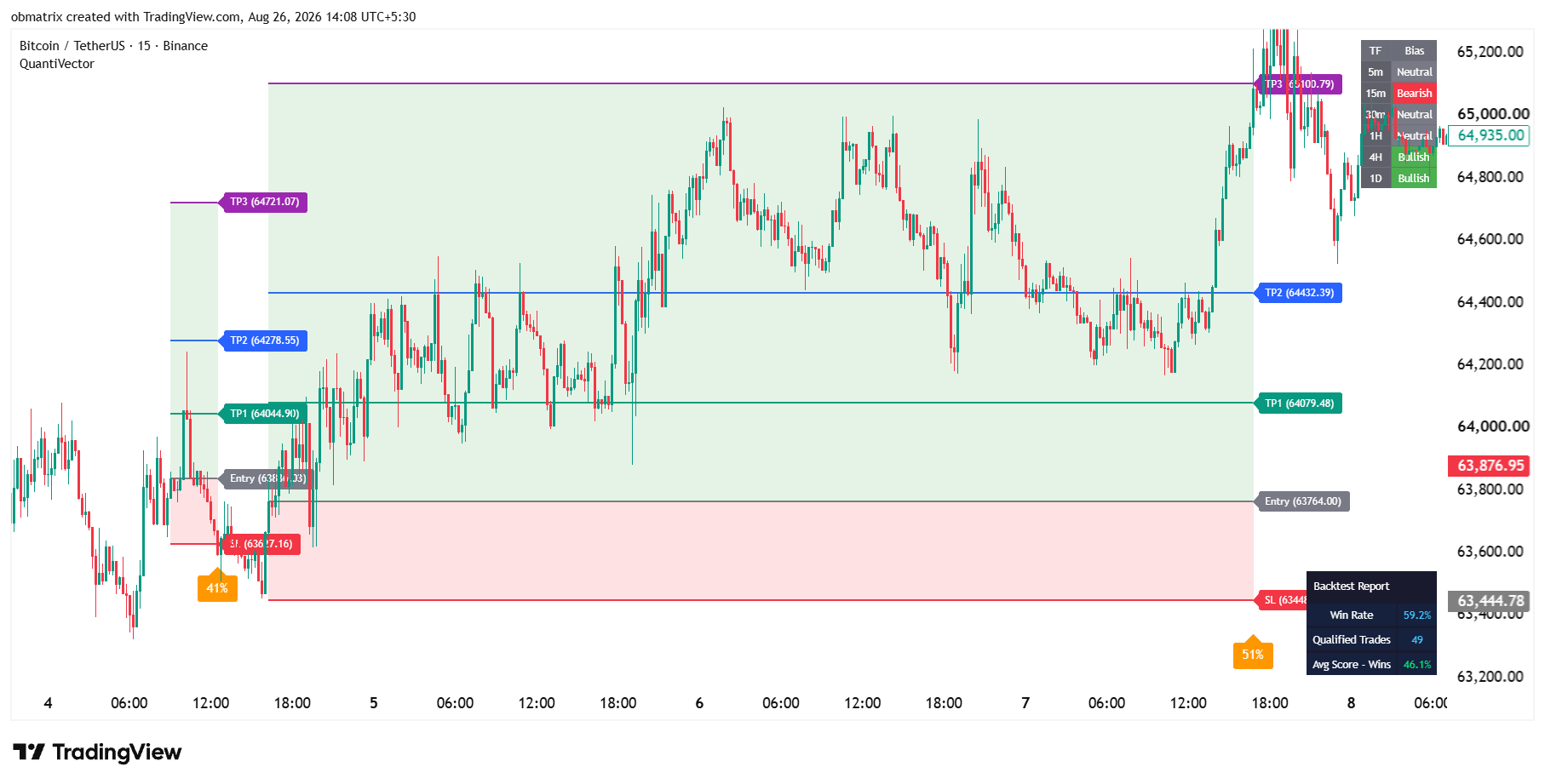
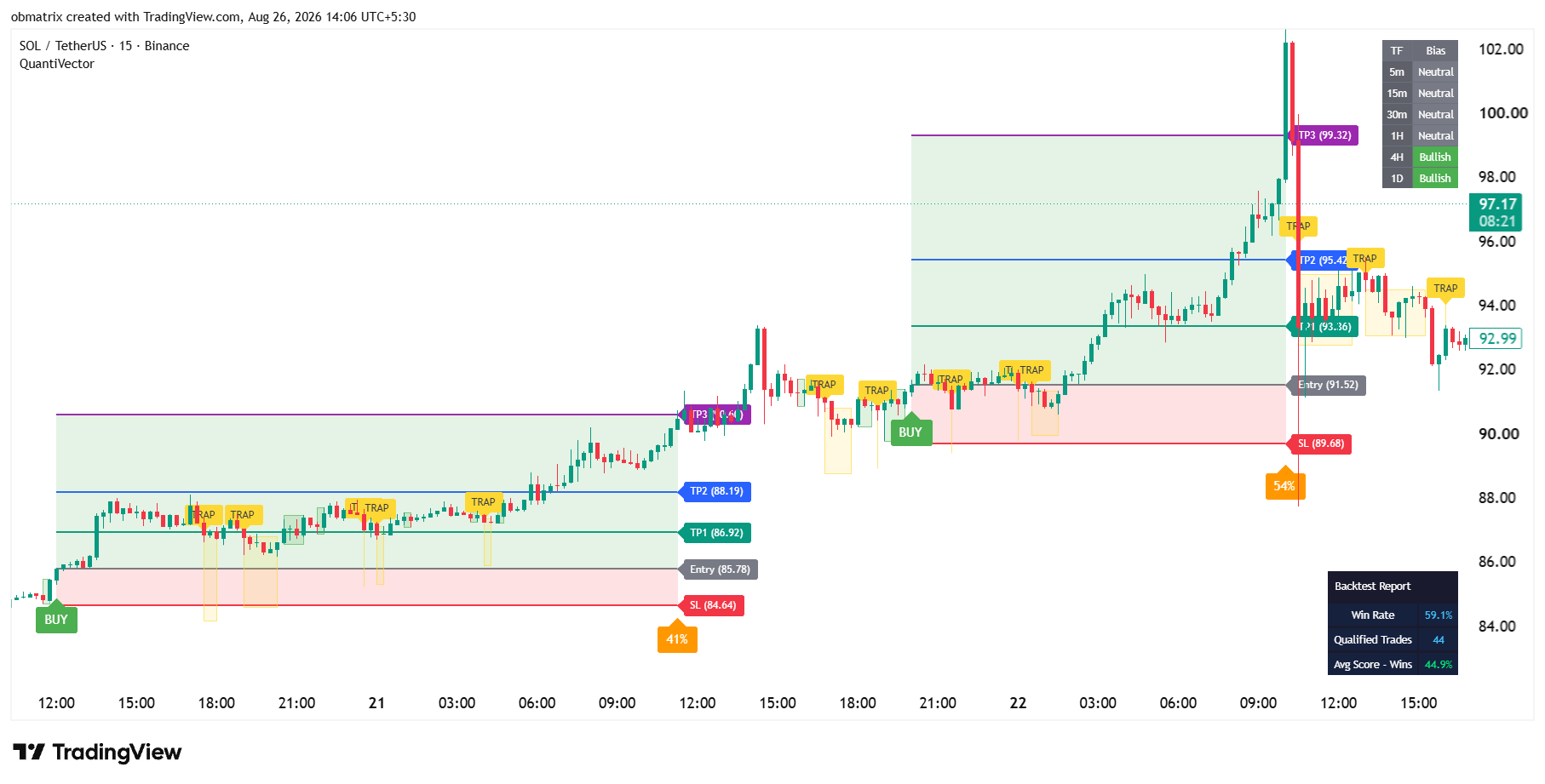
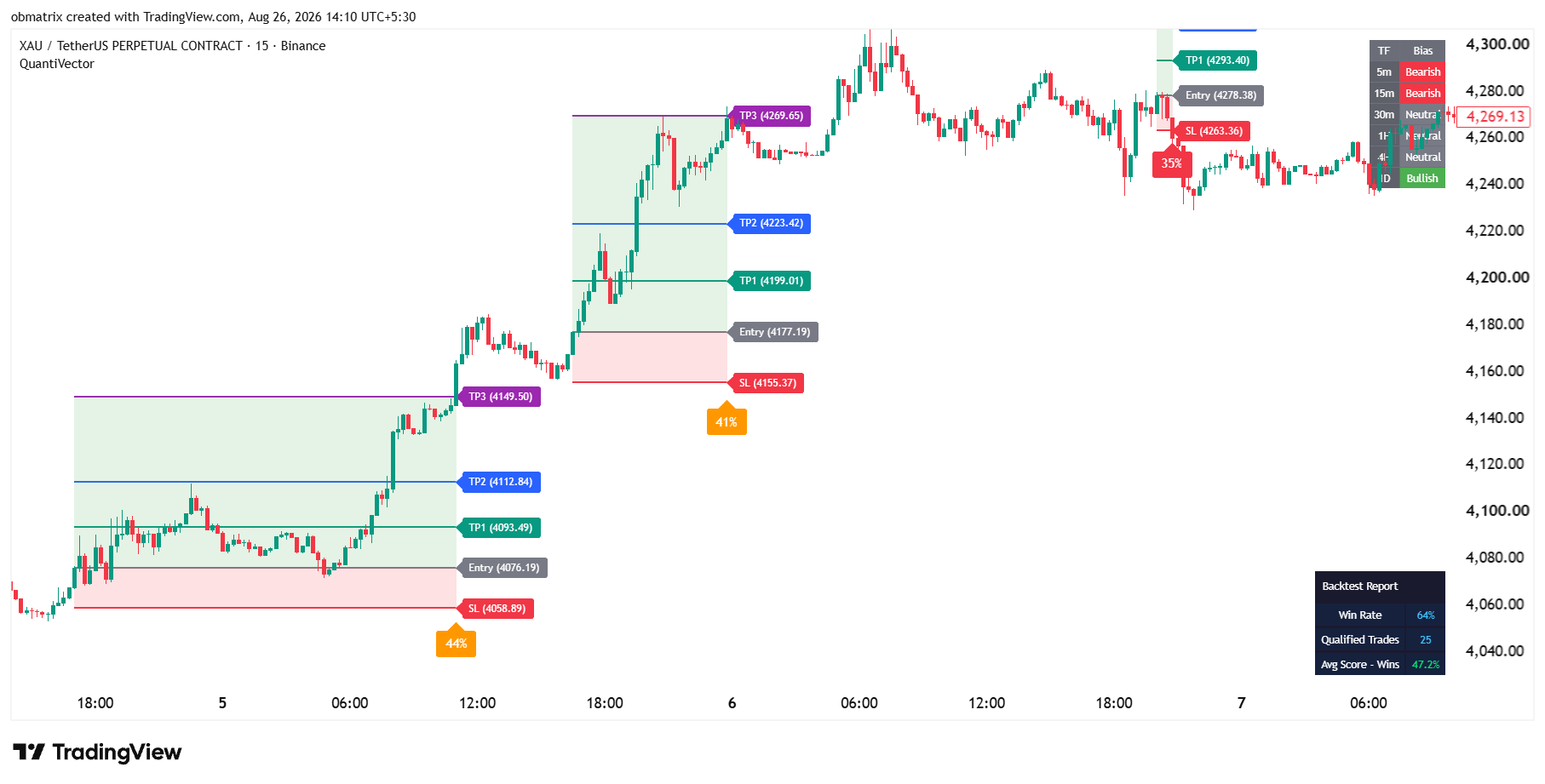
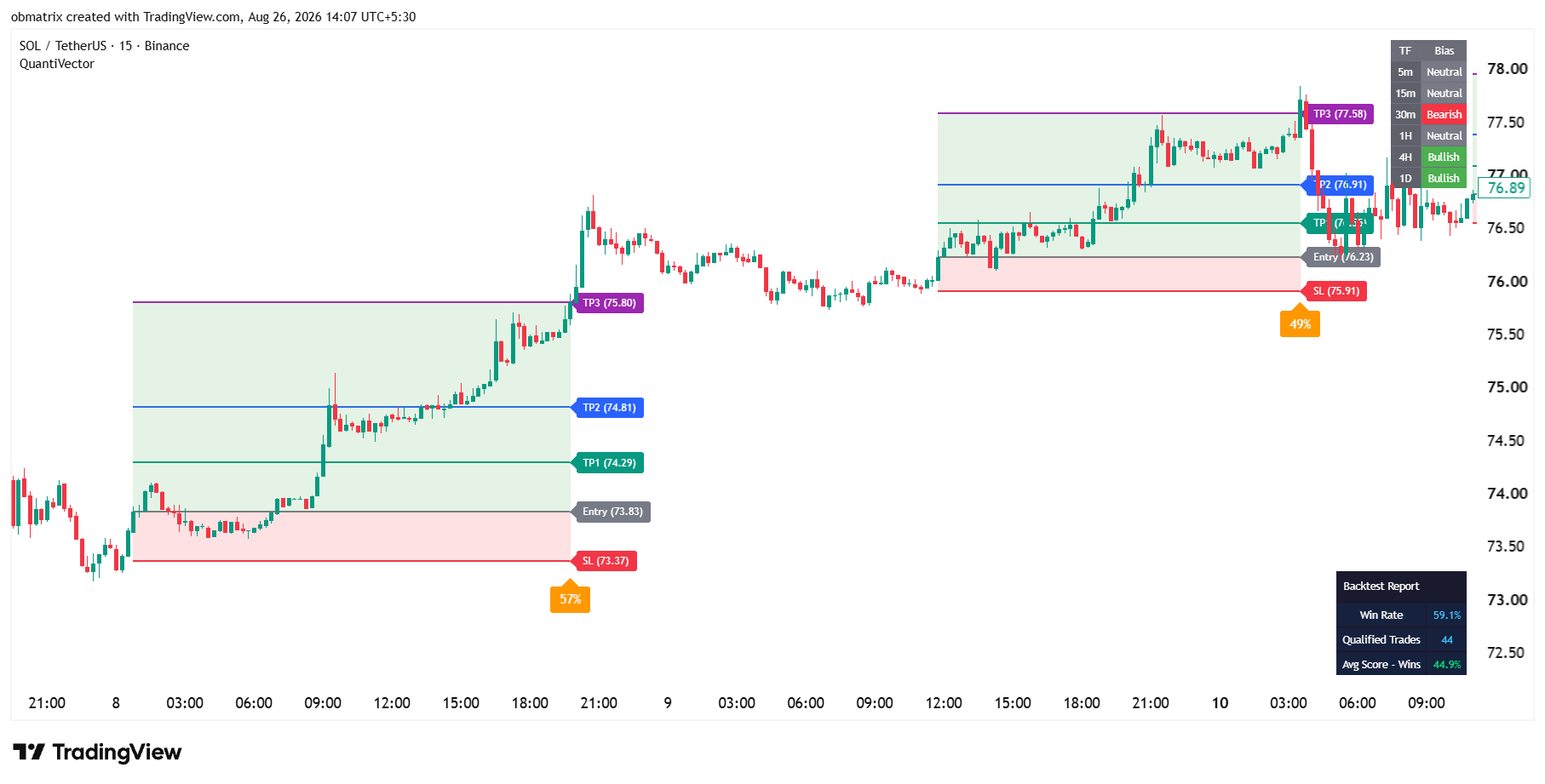
Entry, Stop Loss, and three Fibonacci-projected take-profits are calculated and placed for you the second a signal fires. No ruler, no guesswork.

See it in action →
Top Feature
grows live Frozen ✓

Auto-Drawn Trade Zone

Risk and reward areas shade themselves in automatically the moment a trade opens, then freeze the instant it resolves — a complete visual record, zero drawing tools.

See it in action →
Top Feature
TRAP ZONE signals muted here BUY

Automatic Trap Zone Detection

Choppy, directionless price gets flagged and signals are automatically muted inside it — keeping you out of the fake-outs that hurt trend-followers most.

See it in action →
Top Feature
ETHUSD · 1H ▾ 75% Win Rate on THIS symbol Calculated automatically — instantly

Instant Win Rate on Any Symbol

Drop QuantiVector on any stock, coin, or pair and it automatically calculates and displays its own real win rate for that exact chart — no spreadsheet required.

See it in action →
Top Feature
91% ★ TAKE 58% 29%SKIP Take the 91% setups. Skip the 29% ones — automatically scored.

Auto-Scored Signal Strength

Every signal is automatically graded on 8 confluence factors and reduced to one percentage — so you always know which setups deserve your size and which don't.

See it in action →
See exactly how it works
How it works

From market reaction to confirmed trade in four steps

The exact detection method stays under the hood — what you see is a clean, repeatable process on every chart you open.

1

Trend Read

QuantiVector continuously reads the market's underlying direction, bar by bar.

2

Setup Zone Marked

A reaction against the trend is grouped into one clean shaded zone — no candle-by-candle clutter.

3

Breakout Confirms

The moment price reclaims the trend direction, a large BUY or SELL label locks in — non-repainting.

4

Plan & Score Attached

Entry, SL, three TPs, and a confidence percentage are all plotted automatically.

91% strong
58% moderate
29% weak
Signal Strength

Not every signal deserves the same size trade — now you don't have to guess

Every confirmed signal is stamped with a single, easy-to-read confidence percentage, blended from eight independent market-condition checks — momentum, structure, volume behavior, multi-timeframe agreement, and this indicator's own track record.

  • Color-coded green / orange / red by strength tier
  • Displayed right at the Stop Loss line — zero extra clicks
  • Weighting logic kept private — only the clean result is shown
  • See how scoring works →
    Signal Strength Breakdown HTF Alignment Reaction Depth Volume Character Trend Strength (ADX) Liquidity Sweep Momentum (MACD) Closing Strength Historical Win Rate 91%

    Illustrative confidence-score breakdown for a confirmed signal

    Live Backtest Below
    Proof, not promises

    A live scoreboard, right on your chart

    No cherry-picked backtest screenshots. QuantiVector keeps a running, self-updating record of its own signals — win rate, trade count, and average score — so you always know exactly how it's performing on the symbol you're watching, right now.

    See the backtest panel →

    QuantiVector Report — Live

    73.4%
    Win Rate
    248
    Qualified Trades
    88%
    Avg Score — Wins

    Adaptive quality bar auto-recalibrates as market behavior changes. Figures illustrative — your results depend on the chart, timeframe, and market you trade.

    More Tools Included ↓
    Everything on one chart

    A full toolkit, not just a signal

    Every add-on below is independent — turn on only what you need, without touching the core signal logic.

    Every Plan Full Toolkit No Feature Gates
    Pricing

    Start with a trial, stay for the results

    Simple, transparent access. Cancel or switch plans anytime.

    Trial
    $1 / 3 days

    Kick the tires risk-free before committing to a full plan.

    • Full indicator access
    • All signal & scoring tools
    • Live backtest panel
    • 3 days, unlimited charts
    Start Trial
    Most Popular 1 Month
    $39 / month

    Full access, billed monthly — flexible, cancel anytime.

    • Everything in Trial
    • All extra tools (VWAP, order blocks, structure)
    • Full alert access
    • Priority support
    Get 1-Month Access
    3 Months
    $89 / 3 mo

    Best value for traders committing to a full quarter.

    • Everything in 1-Month
    • Save ~24% vs. monthly
    • Locked-in pricing for 3 months
    • Priority support
    Get 3-Month Access
    SL ENTRY TP1 TP2 TP3
    FAQ

    Questions, answered

    Does QuantiVector repaint?

    No. Every signal is calculated from already-closed candle data, so historical BUY/SELL signals never move or disappear after the fact.

    Can I see exactly how the trend or score is calculated?

    The core detection and scoring logic is kept internal to protect the strategy — you get full control over every visual, label, color, and alert instead.

    Which markets and timeframes does it work on?

    QuantiVector runs on any symbol and timeframe available on TradingView — crypto, forex, indices, futures, and stocks.

    Do I need other indicators alongside it?

    No. Signal detection, trade planning, confidence scoring, multi-timeframe bias, and backtest tracking are all built in. Extra tools like VWAP and order blocks are optional add-ons.

    Can I rebrand the labels and colors?

    Yes — every label's text, every zone color, and every panel's appearance is fully customizable.

    What happens after my trial ends?

    You can move to the 1-Month or 3-Month plan at any time — no auto-lock-in, cancel whenever you like.

    Ready when you are

    Stop guessing which reaction is real.

    Get the signal, the trade plan, the confidence score, and the proof — all on one chart.

    Get Instant Access