QuantiVector reads every market reaction, waits for real confirmation, and marks the exact moment price turns back in the trend's favor — then hands you a complete trade plan, a confidence score, and a live scoreboard of its own results.
Works on any market & timeframe · Non-repainting signals · One-click TradingView alerts
These are the core engines doing the work while you watch — every one of them fully automated, updating live on your chart.
No manual chart-reading. QuantiVector confirms and labels every entry the instant price proves it — automatically, on any chart you open.
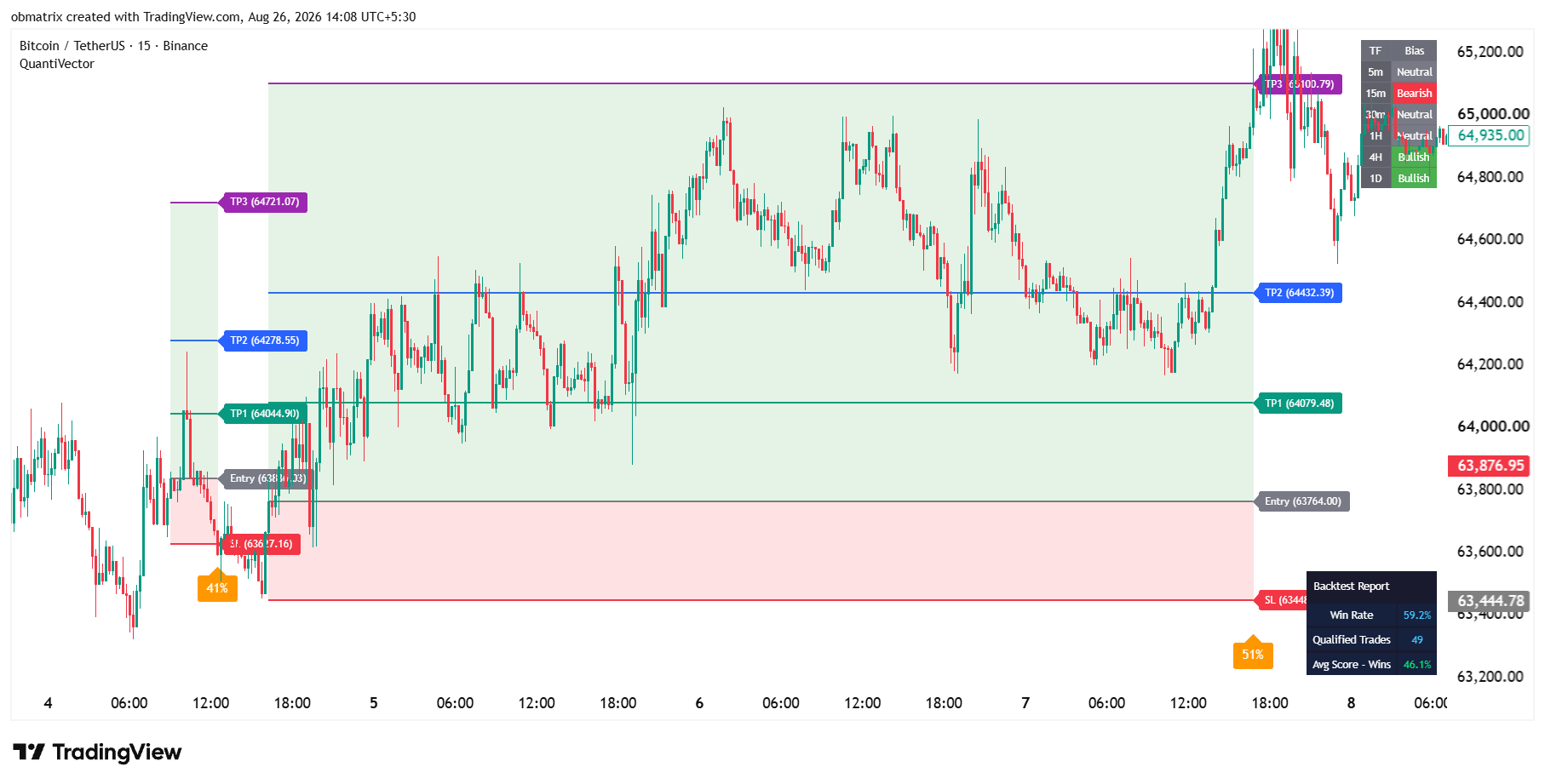
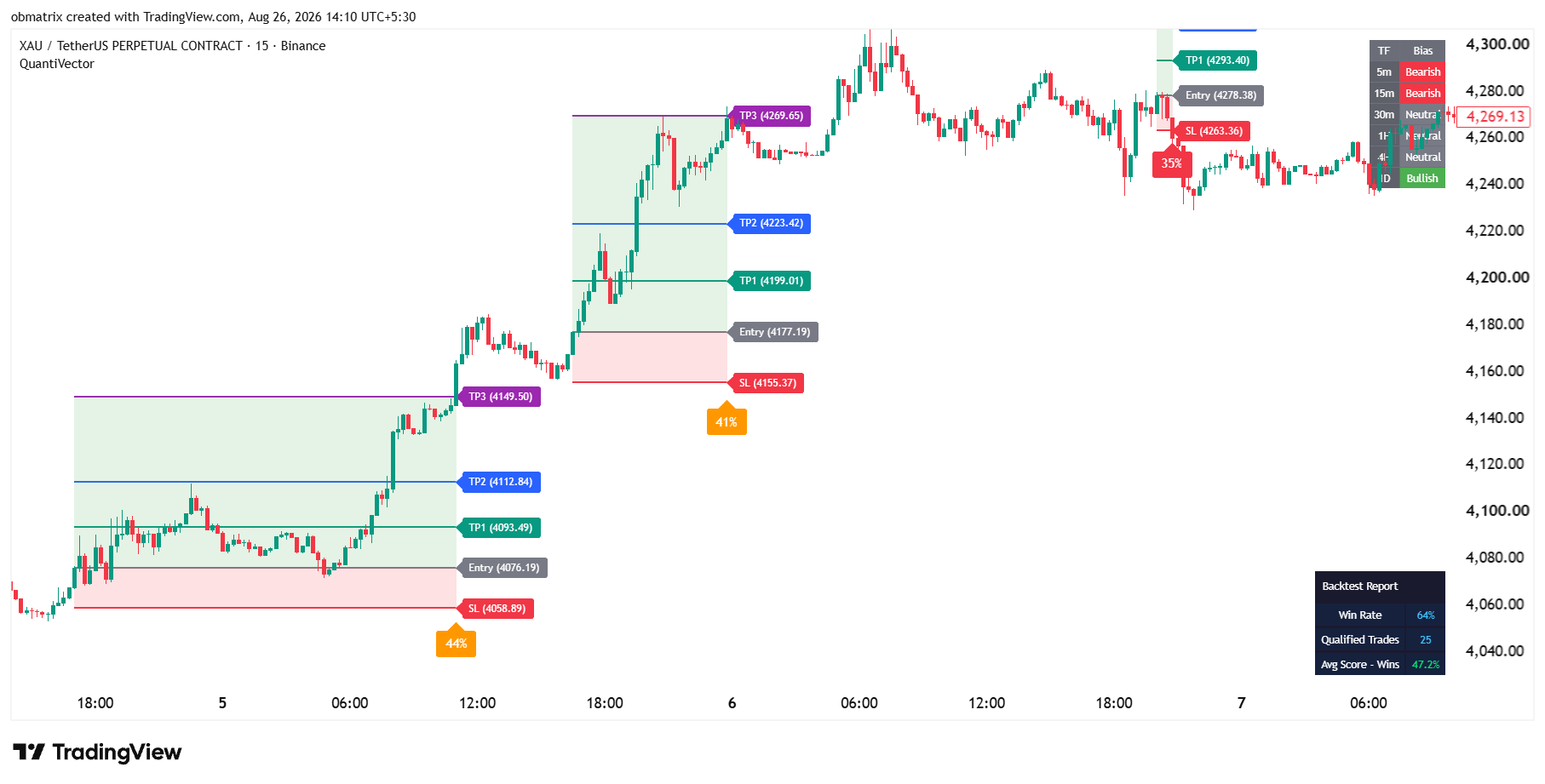
See it in action →Entry, Stop Loss, and three Fibonacci-projected take-profits are calculated and placed for you the second a signal fires. No ruler, no guesswork.
See it in action →Risk and reward areas shade themselves in automatically the moment a trade opens, then freeze the instant it resolves — a complete visual record, zero drawing tools.
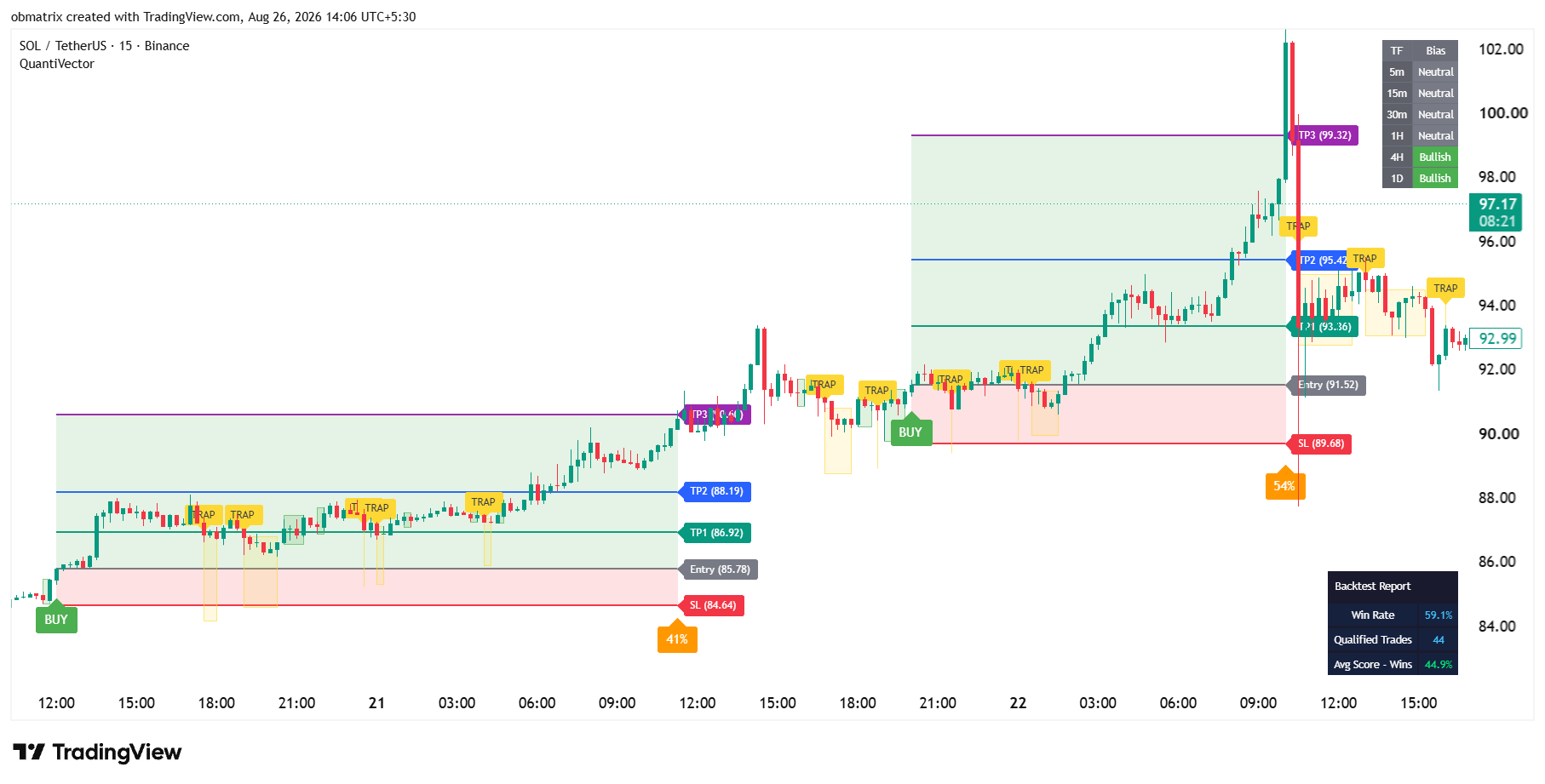
See it in action →Choppy, directionless price gets flagged and signals are automatically muted inside it — keeping you out of the fake-outs that hurt trend-followers most.
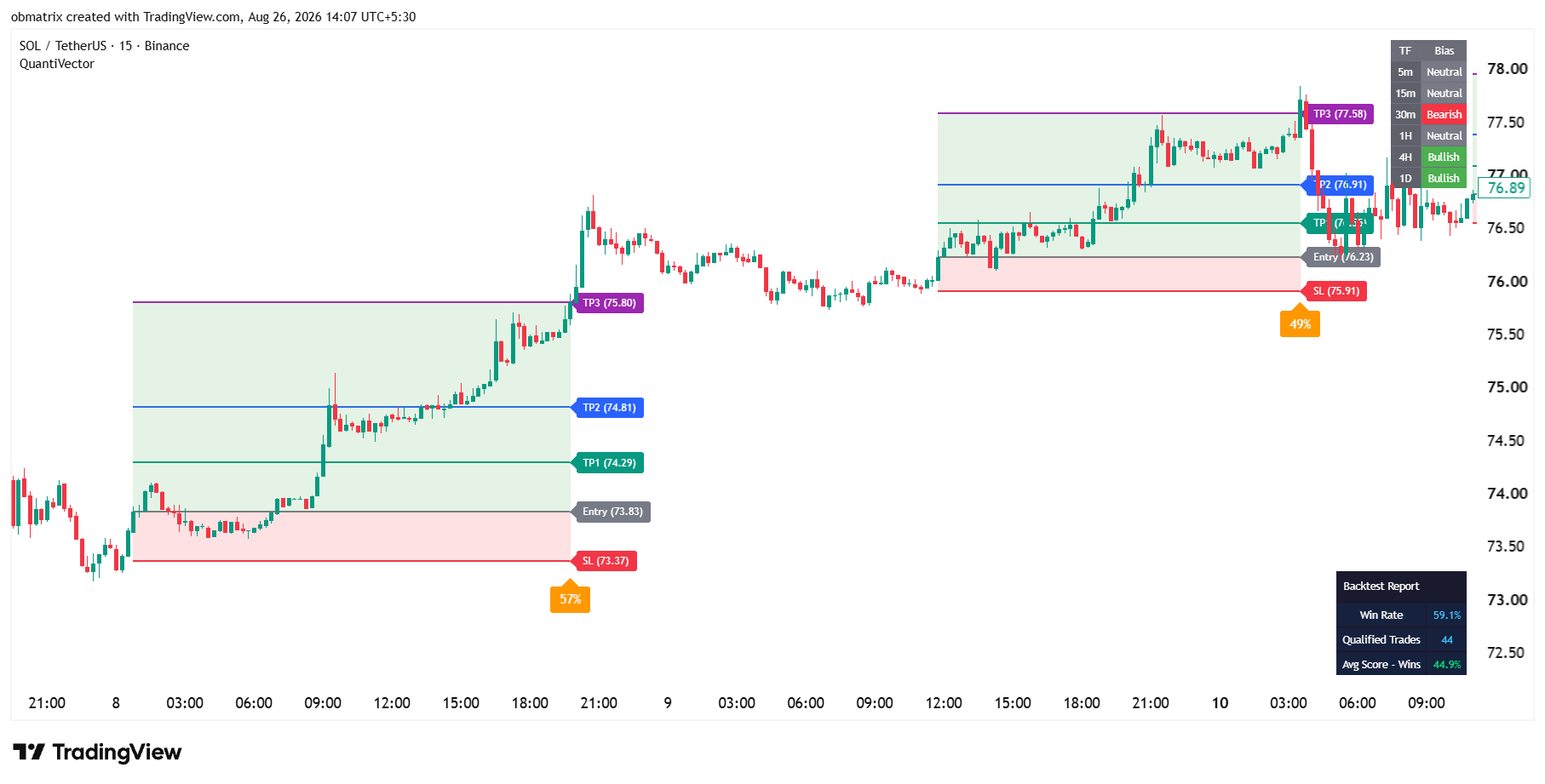
See it in action →Drop QuantiVector on any stock, coin, or pair and it automatically calculates and displays its own real win rate for that exact chart — no spreadsheet required.
See it in action →Every signal is automatically graded on 8 confluence factors and reduced to one percentage — so you always know which setups deserve your size and which don't.
See it in action →The exact detection method stays under the hood — what you see is a clean, repeatable process on every chart you open.
QuantiVector continuously reads the market's underlying direction, bar by bar.
A reaction against the trend is grouped into one clean shaded zone — no candle-by-candle clutter.
The moment price reclaims the trend direction, a large BUY or SELL label locks in — non-repainting.
Entry, SL, three TPs, and a confidence percentage are all plotted automatically.
Every confirmed signal is stamped with a single, easy-to-read confidence percentage, blended from eight independent market-condition checks — momentum, structure, volume behavior, multi-timeframe agreement, and this indicator's own track record.
Illustrative confidence-score breakdown for a confirmed signal
No cherry-picked backtest screenshots. QuantiVector keeps a running, self-updating record of its own signals — win rate, trade count, and average score — so you always know exactly how it's performing on the symbol you're watching, right now.
See the backtest panel →QuantiVector Report — Live
Adaptive quality bar auto-recalibrates as market behavior changes. Figures illustrative — your results depend on the chart, timeframe, and market you trade.
Every add-on below is independent — turn on only what you need, without touching the core signal logic.
Clean Setup Zones, confirmed BUY/SELL labels, and a Trap Zone filter that mutes signals in choppy conditions.
Trade PlanAuto-plotted trade levels that grow live with the chart, then freeze the instant a trade resolves.
ScoringAn 8-factor confidence percentage on every signal, color-coded by strength.
TransparencySelf-updating win rate, trade count, and quality stats — always current, always on-chart.
Context6-timeframe trend read at a glance — 5m through 1D — without flipping a single chart tab.
Add-onsVWAP, extra EMAs, supply/demand zones, market structure (BOS/CHoCH), and order blocks — all optional.
AutomationGet pinged the instant a signal confirms or price enters/exits a Trap Zone.
BrandingEvery label, color, size, and text string is yours to restyle and re-brand.
Simple, transparent access. Cancel or switch plans anytime.
Kick the tires risk-free before committing to a full plan.
Full access, billed monthly — flexible, cancel anytime.
Best value for traders committing to a full quarter.
No. Every signal is calculated from already-closed candle data, so historical BUY/SELL signals never move or disappear after the fact.
The core detection and scoring logic is kept internal to protect the strategy — you get full control over every visual, label, color, and alert instead.
QuantiVector runs on any symbol and timeframe available on TradingView — crypto, forex, indices, futures, and stocks.
No. Signal detection, trade planning, confidence scoring, multi-timeframe bias, and backtest tracking are all built in. Extra tools like VWAP and order blocks are optional add-ons.
Yes — every label's text, every zone color, and every panel's appearance is fully customizable.
You can move to the 1-Month or 3-Month plan at any time — no auto-lock-in, cancel whenever you like.
Get the signal, the trade plan, the confidence score, and the proof — all on one chart.